Safety
Someone has your back.
The lone worker app, built into Hellotracks. Hold the Emergency button for 2 seconds, and the people your company picks get an alarm with your location. It keeps ringing until one of them says “I'm on it”.
iPhone and AndroidNo second appNo hardware
Built for the office
- Pick who answers. People, teams or both. Nobody picked means every admin and dispatcher.
- Nobody left hanging. No answer in 2 minutes, and everyone in charge gets it.
- A record of every alarm. Who was rung, who answered, how it ended.
- Checks when you want them. Off, Trial or On, for your whole company.
Made for the people in the field
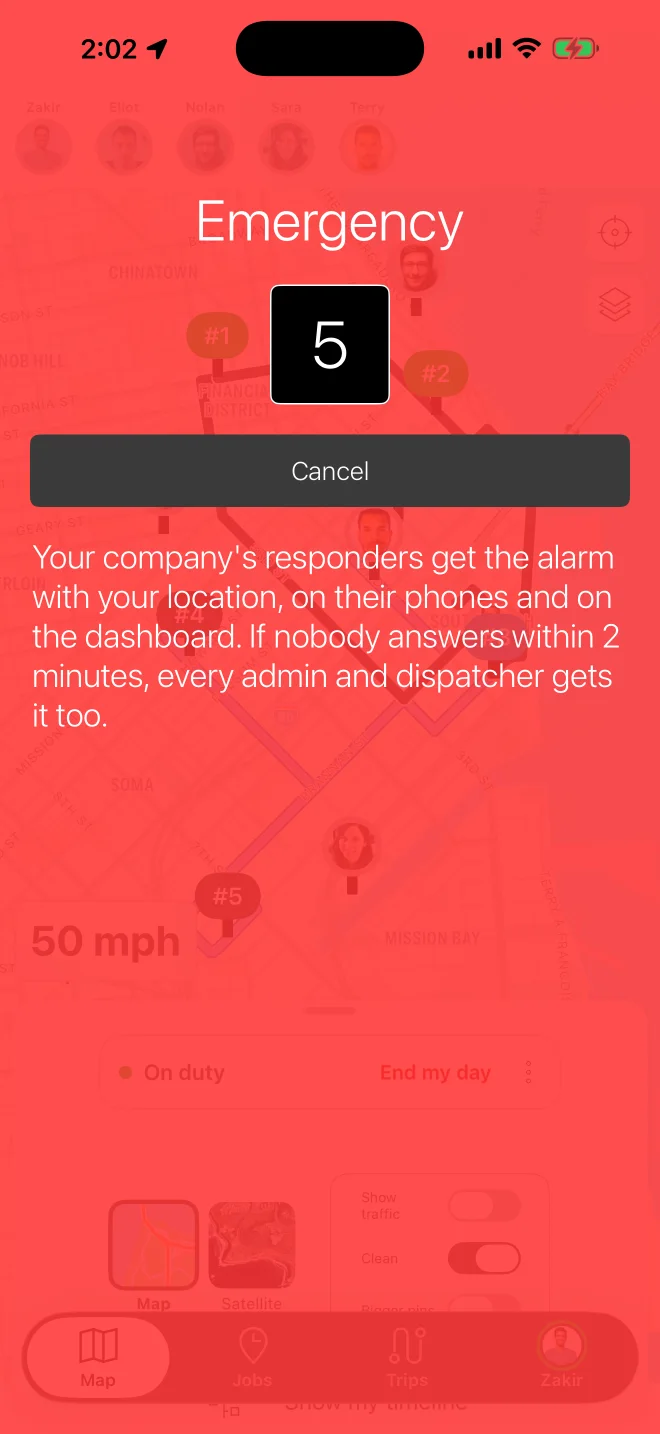
- Hard to press by mistake. Hold 2 seconds, then 5 seconds to cancel.
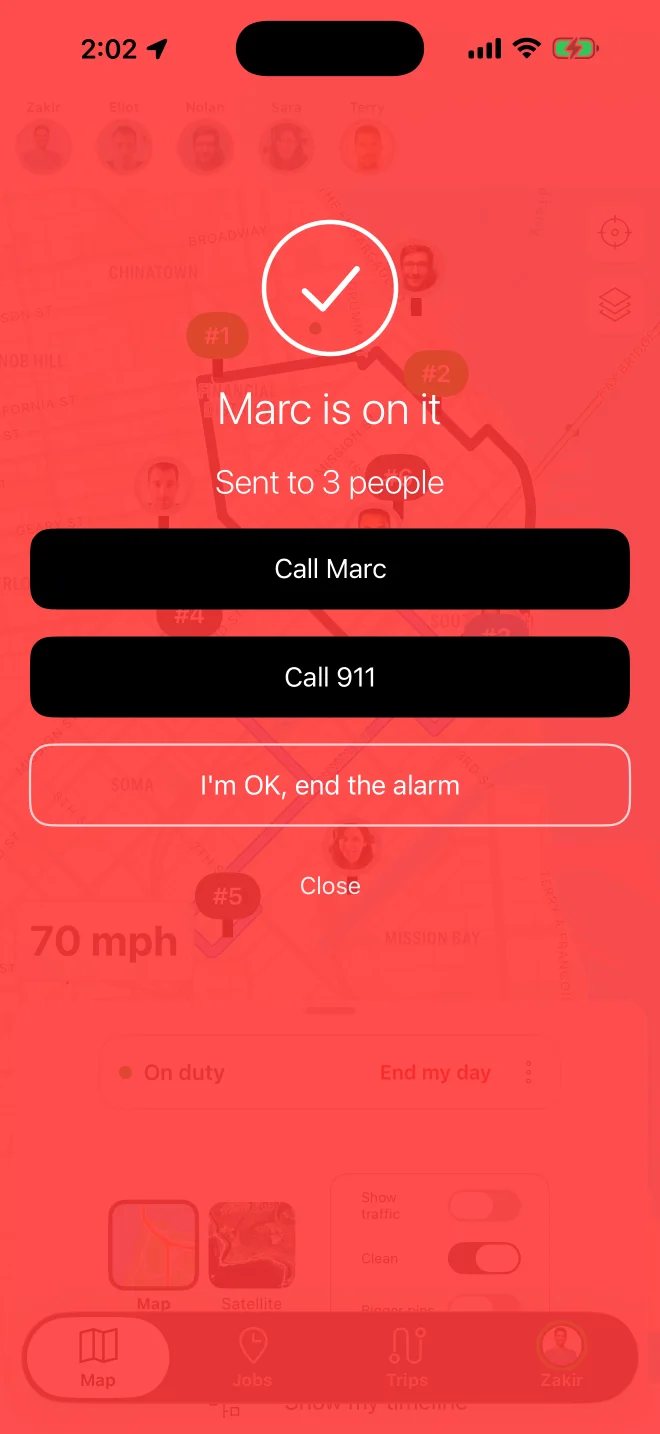
- You see who's coming. How many got it, and who said “I'm on it”.
- Check on me. A timer for the visit you'd rather not do alone.
- Gets through Focus. On iPhone the alarm comes as time sensitive.
Emergency button
Hold the button. See who's coming.
Hold Emergency for 2 seconds. You get 5 seconds to cancel, then the alarm goes out. Your screen says how many people got it and who is on it. Call them, or call 911.
The alarm
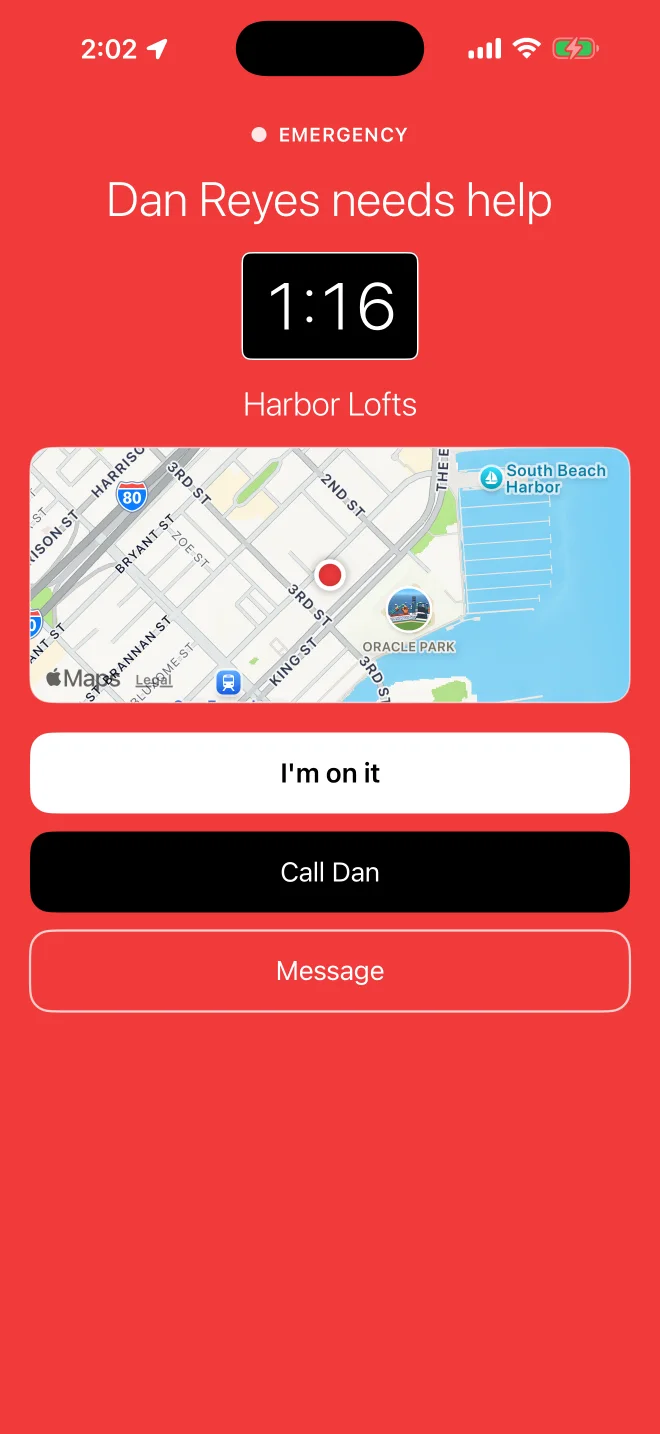
Their phones ring until someone says “I'm on it”.
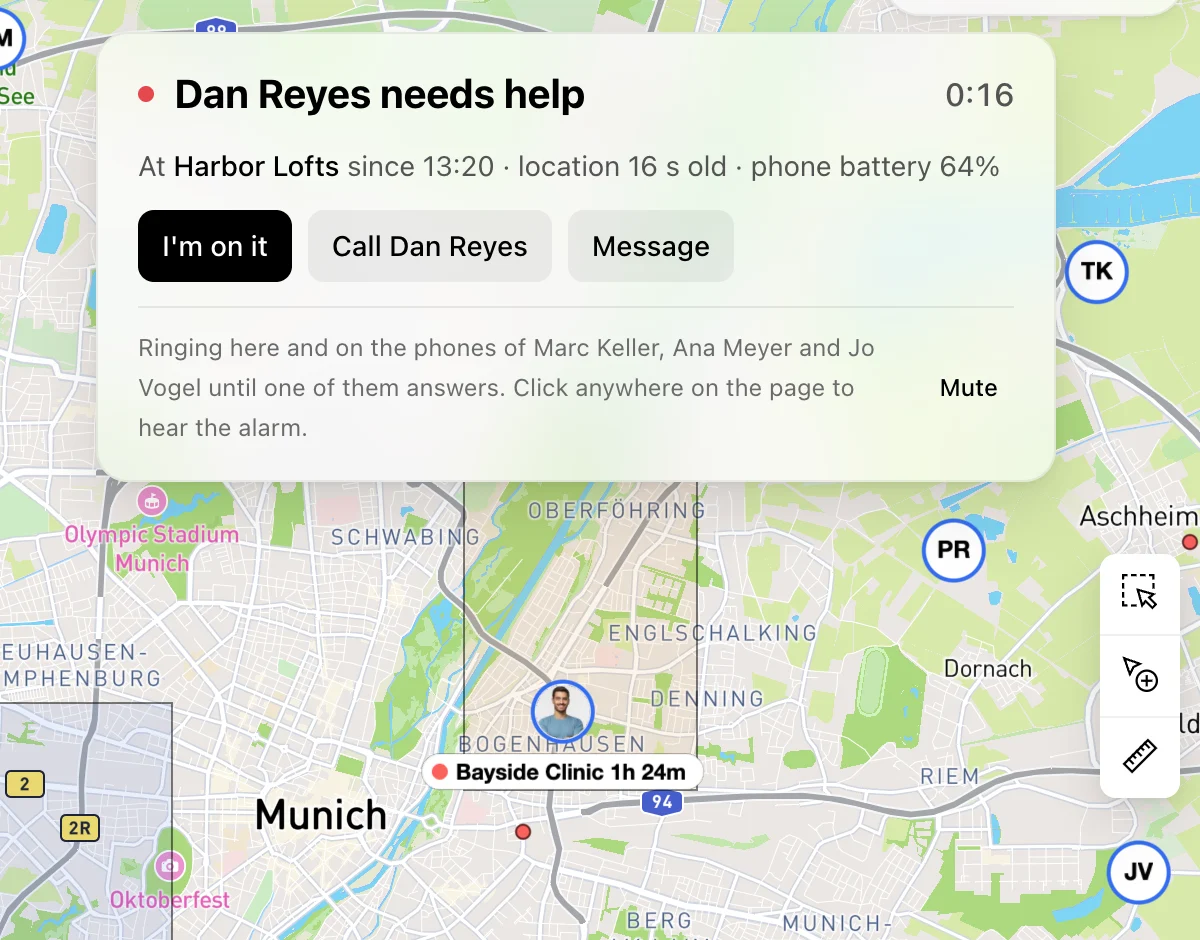
Full screen on their phones, and a card with a sound on the live map: who needs help, where, how old the location is, how much battery is left. One taps “I'm on it”, and the ringing stops for everyone.
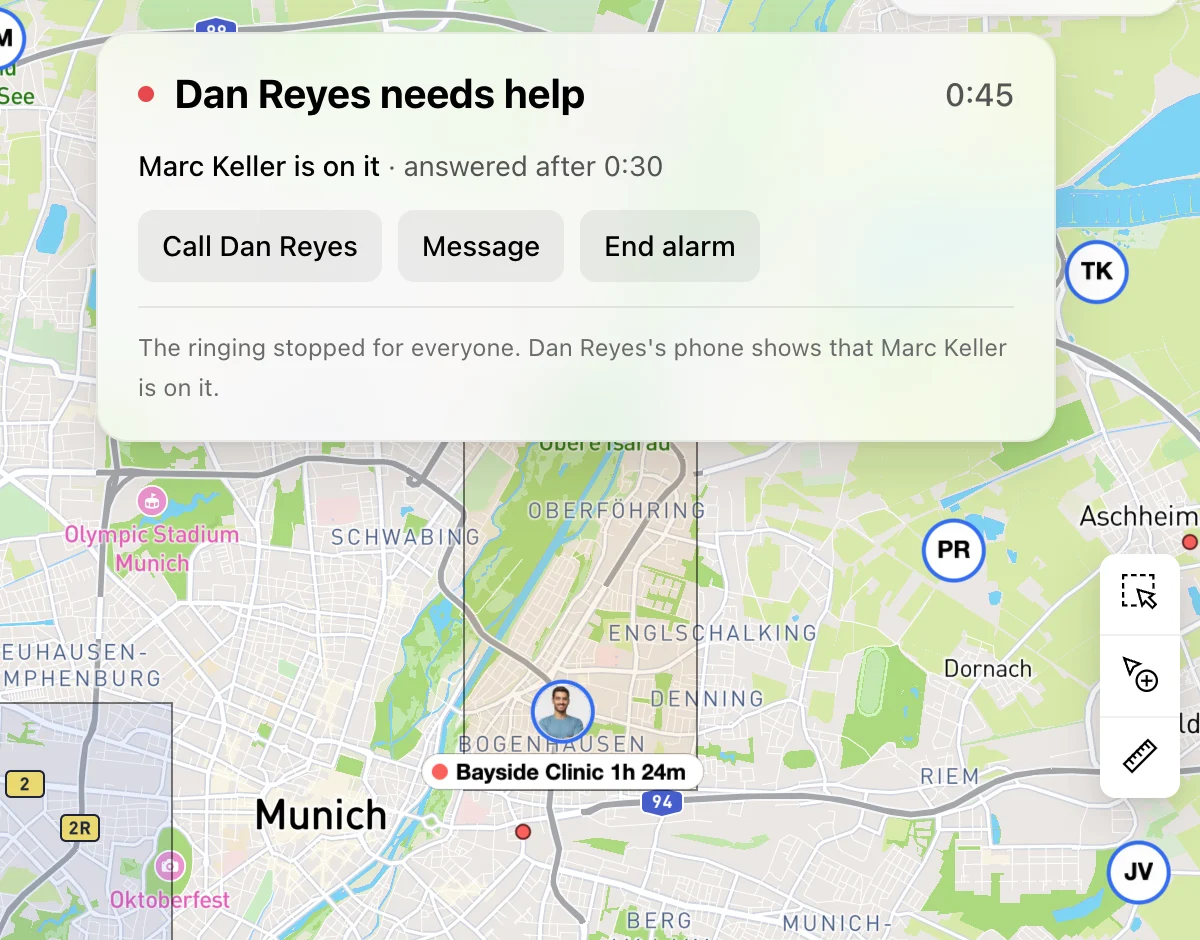
If nobody answers
No answer in 2 minutes? Everyone in charge hears it.
It starts with a few people you pick, so it is somebody's job. If none of them answers, every admin and dispatcher gets it too.
- 0:00Your responders' phones and dashboards ring
- 2:00Every admin and dispatcher is rung too
Check-in timer
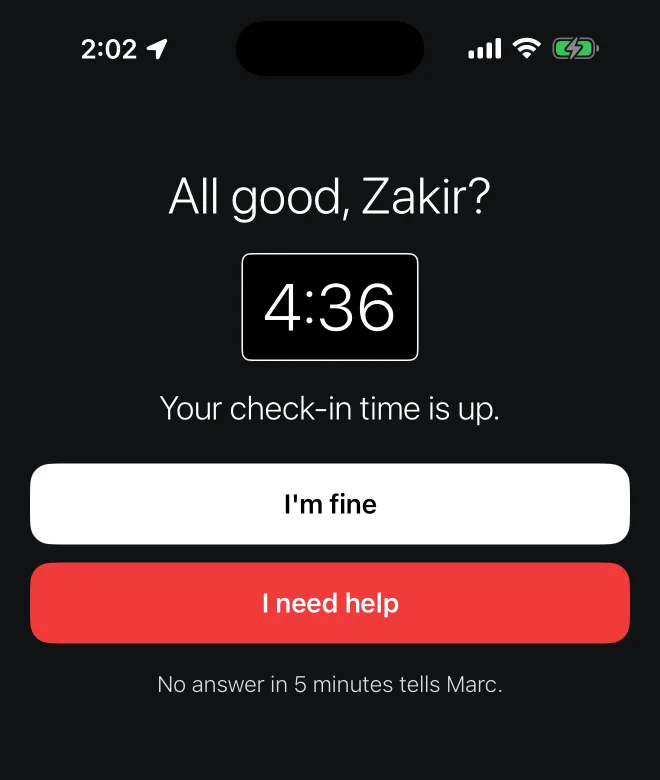
Going in alone? Set a check-in timer.
Before a visit you'd rather not do alone, tap Check on me and pick 15 minutes, 30 minutes, 1 hour or 2 hours. When time is up, your phone asks “All good?”. Tap “I'm fine” and nobody hears about it. No answer in 5 minutes tells your responders.
- 15 min
- 30 min
- 1 h
- 2 h
Automatic check-ins
Turn it on, and there's nothing to start.
Most lone worker apps only work if someone remembers to start them. Turn on automatic check-ins, and Hellotracks asks “All good?” by itself when a visit runs far longer than visits there usually take, or when someone has stood still for an hour away from jobs and places. The office hears only when there's no answer.
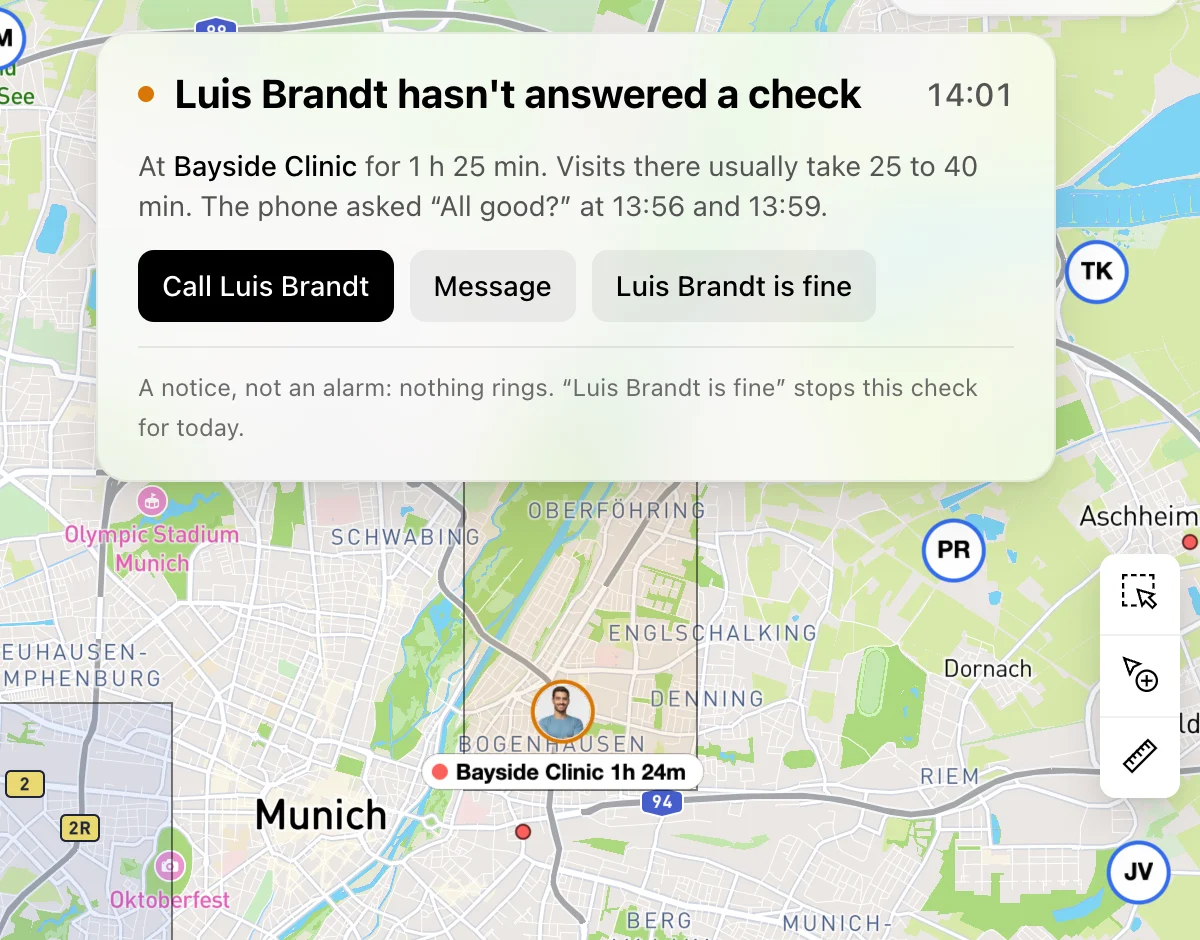
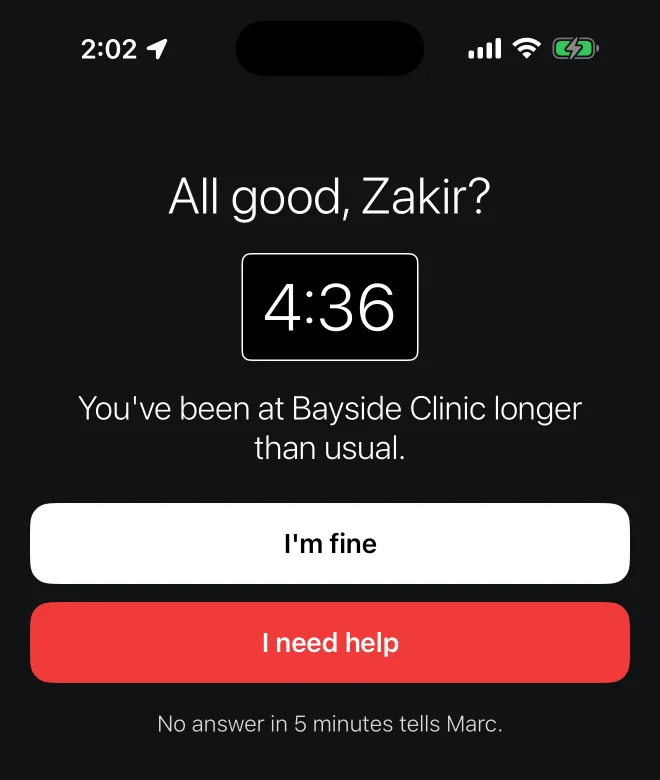
Start with Trial: nobody is asked, and the safety log shows what it would have asked. Checks run only while someone is clocked in, and everyone can see on their phone that they are on.
Safety log
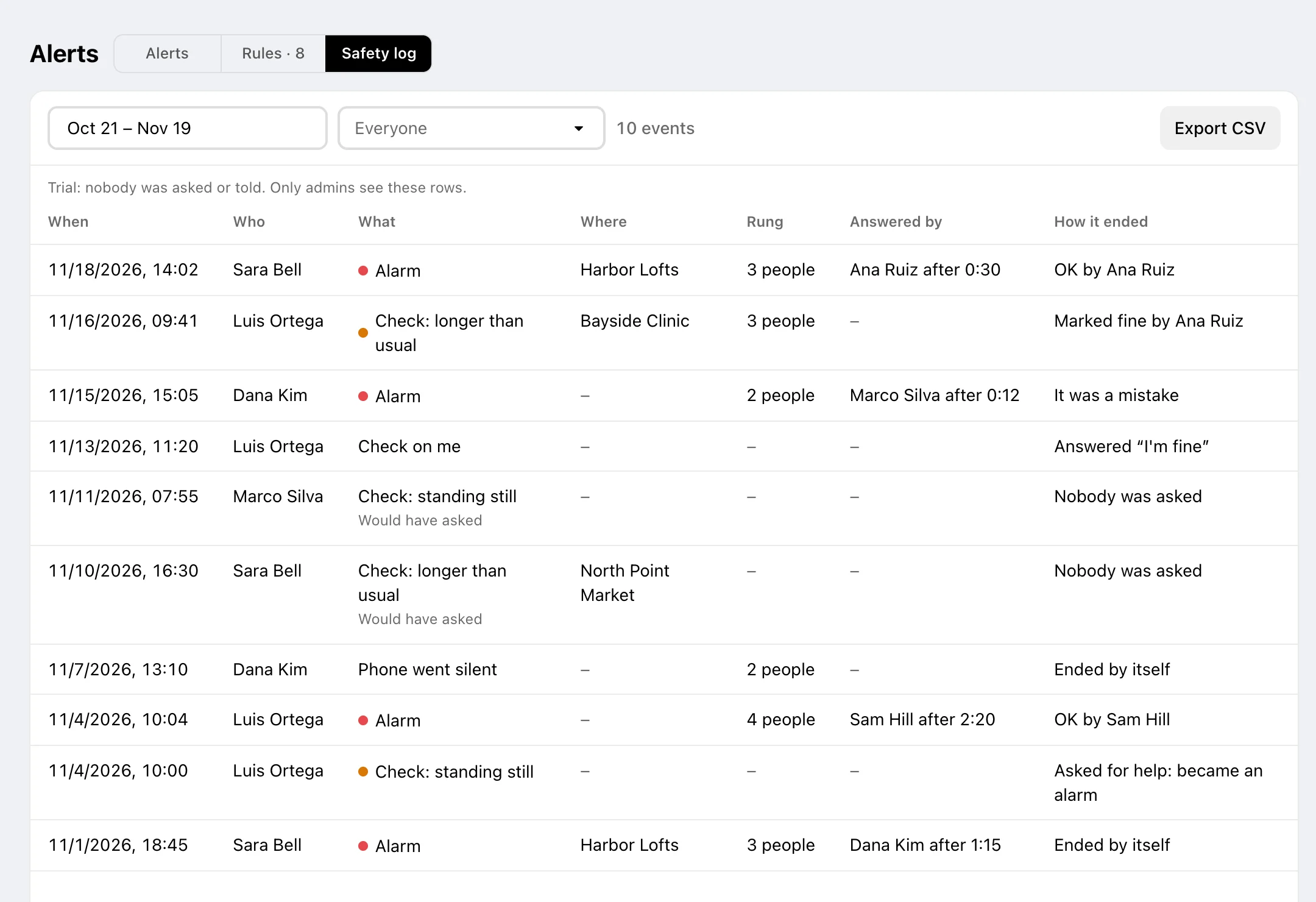
Every alarm, on the record.
When, where, who was rung, who answered and after how long, and how it ended. Export it for your insurer or an inspector.
For the person carrying the phone
Tracking helps the office. This part is for you.
Only the people your company picks
Your co-workers aren't told.
Pressed it by mistake?
“It was a mistake” ends it with one tap. The log says so, and that's all.
Your time off stays yours
Outside working hours nothing is tracked. When you raise the alarm, it carries your location, so help can find you.
Setting it up
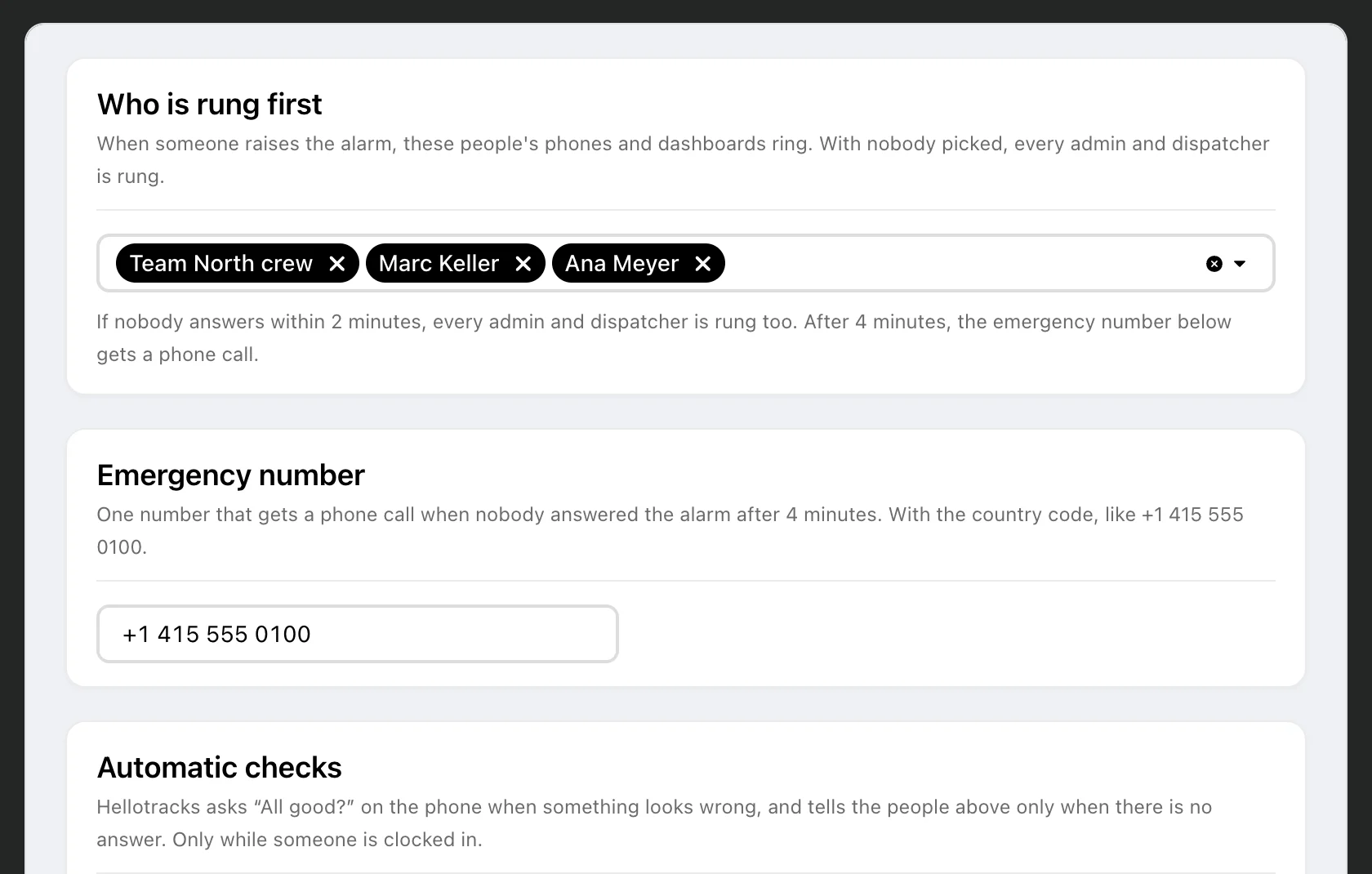
Pick who answers. That's it.
In Company settings › Safety: the people or teams who are rung first, and the automatic checks, Off, Trial or On.
Price
The price? It's in the Location plan.
Emergency, Check on me, automatic checks and the safety log come with the Location plan, so every Hellotracks plan has them. Free during your 30-day trial.
See pricing →- LocationLive map, history, geofences, time tracker, alerts, and Safety.
- DispatchEverything in Location, Safety included, plus jobs, routes and forms.
- EnterpriseEverything in Location and Dispatch, Safety included, plus SSO and an SLA.
What it isn't
Your own people answer, not an alarm centre. It is an app on the phone, not a certified alarm device, and it has no fall detection. If your work needs those, use a dedicated provider alongside Hellotracks.
Questions
Is Hellotracks a lone worker app?
Yes. Hellotracks Safety gives everyone in the field an emergency button, check-in timers and automatic check-ins, and gives the office an alarm that rings until someone answers, with a safety log of every alarm and check. It runs in the Hellotracks app on iPhone and Android, next to GPS tracking, jobs and timesheets.
How much does it cost?
Nothing extra. Safety is part of the Location plan, so every Hellotracks plan includes it. Try it free for 30 days, no credit card.
Do we need extra hardware?
No. It runs on the phones your team already carries. No pendants, no radios, no monitoring contract.
Does it work on iPhone and Android?
Yes. It is part of the Hellotracks app on both, so there is nothing else to install.
Who gets the alarm?
The people or teams your company picks. If it picks nobody, every admin and dispatcher. After 2 minutes without an answer, every admin and dispatcher too.
Can I set it off by accident?
It takes a 2-second hold, then you have 5 seconds to cancel. If it goes out anyway, “It was a mistake” ends it with one tap, and the log shows it as a mistake.
What if there's no signal?
The alarm needs a data connection. If it can't be sent, the phone says so right away and offers to call for help directly.
What if their phone is on silent?
It keeps at them until someone answers. The alarm repeats every 30 seconds on every responder's phone, gets through Focus on iPhone, and stays on the dashboard. After 2 minutes without an answer, every admin and dispatcher is rung too.
Does it call 911?
Your own people answer the alarm. To reach emergency services, the alarm screen has a Call 911 button: your phone's own emergency call sends your location by itself.
Do my co-workers see it?
No. Only the people your company picks, and after 2 minutes every admin and dispatcher.
Is this a panic button app?
It does what a panic button app does, inside the app your team already uses for work: an emergency button, an alarm that rings until someone answers, check-ins and a log.
Is it a certified alarm device?
No. It is an app on the phone. If your work needs a certified device or a staffed alarm centre, use one, and Hellotracks alongside it.
Give your team someone to call.
Free for 30 days. No credit card, no hardware.
